FedEx Freight
Intranet Redesign
FedEx Freight team members need to be able to access Human Resources information easily, on the job and off the job. How do we make relevant and necessary HR content accessible to our team members when and where they need it?
The Human Resources department of FedEx Freight had recently been put under new leadership. The new VP of HR wanted an intranet page with an updated look to match the updated leadership. He’s forward-thinking, and the current Human Resources page didn’t reflect his vision for the department.
Current State
Most FedEx Freight team members are hourly front-line employees who work in operations. Their work environment is fast-paced and largely focused on managing freight in a safe way. When team members need to check on information related to Human Resources, they must use the shared desktop computers located in the service centers.
Human Resources information is located on the FedEx Freight Intranet, which is only accessible inside the FedEx Freight firewall. This means that our team members have no off-site access to HR-related information.
The FedEx Freight Intranet homepage has an average of 550K-850K page views monthly, while the Human Resources page has an average of 1.5K-2K page views monthly. Research and interviews will uncover why the massive gap in page views exists.
Based on the FY17 FXF Communications Effectiveness Survey (53% of respondents were front-line team members), the Intranet was a recurring theme within the approximately 3,400 verbatims collected. Within that theme, a few items were mentioned frequently: simplify and fix the intranet experience, improve search and navigation, provide home access, provide more computers and outlets and centers, and update out-of-date information.
The FedEx Freight Intranet was on the cusp of a modernization effort, where the communications team would update, simplify, and segment the channel in order to engage all audiences. This presented an ideal opportunity for us to take one segment of the Intranet through the design process, and provide a model to the communications team. This model, with a brand-focused UI Kit included, could serve as the foundation for the Intranet redesign.
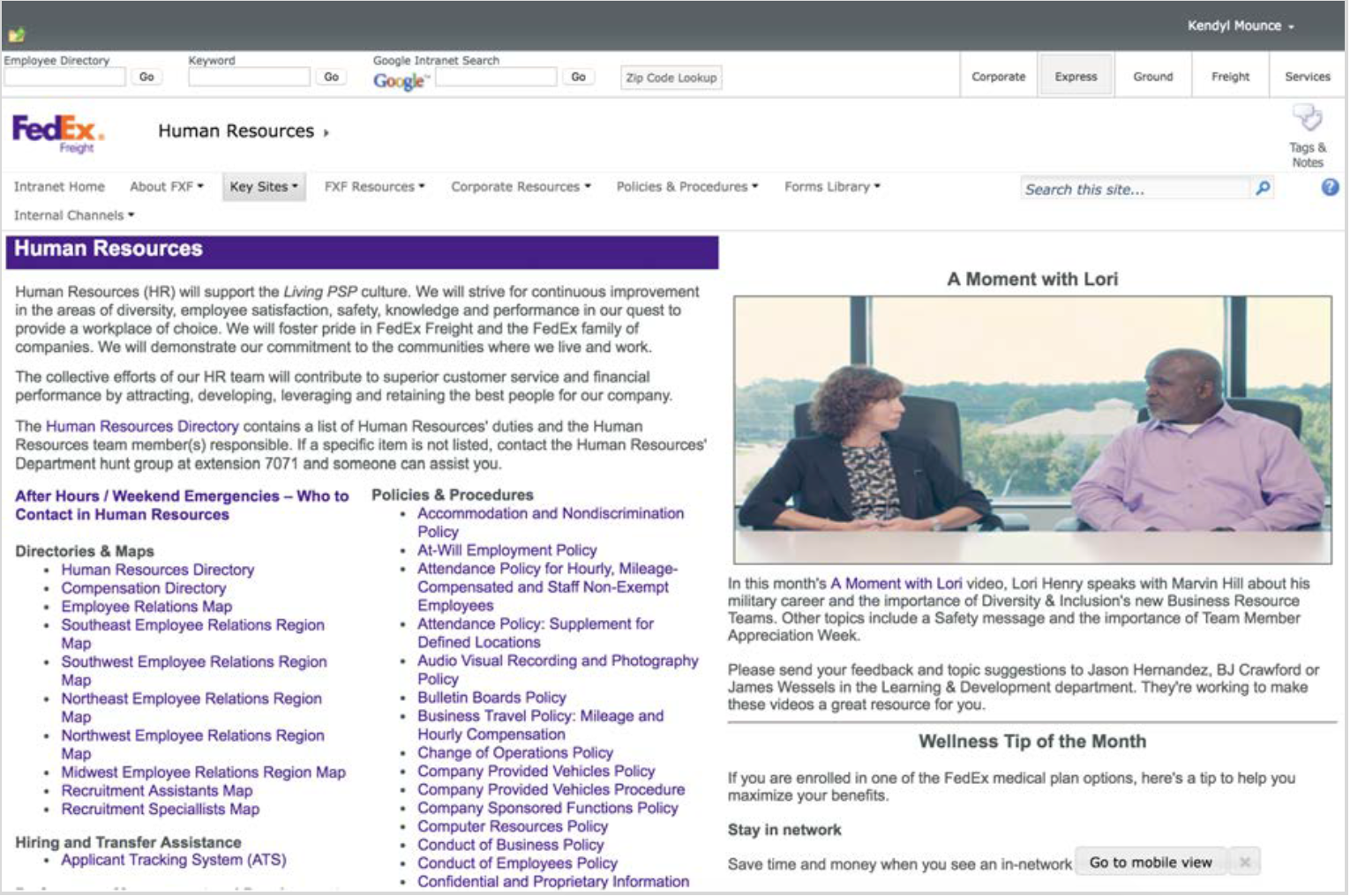
Intranet current layoutDiscovery Phase
Competitive analysis
On-site observation
Team member interviews
Empathy mapping
Survey
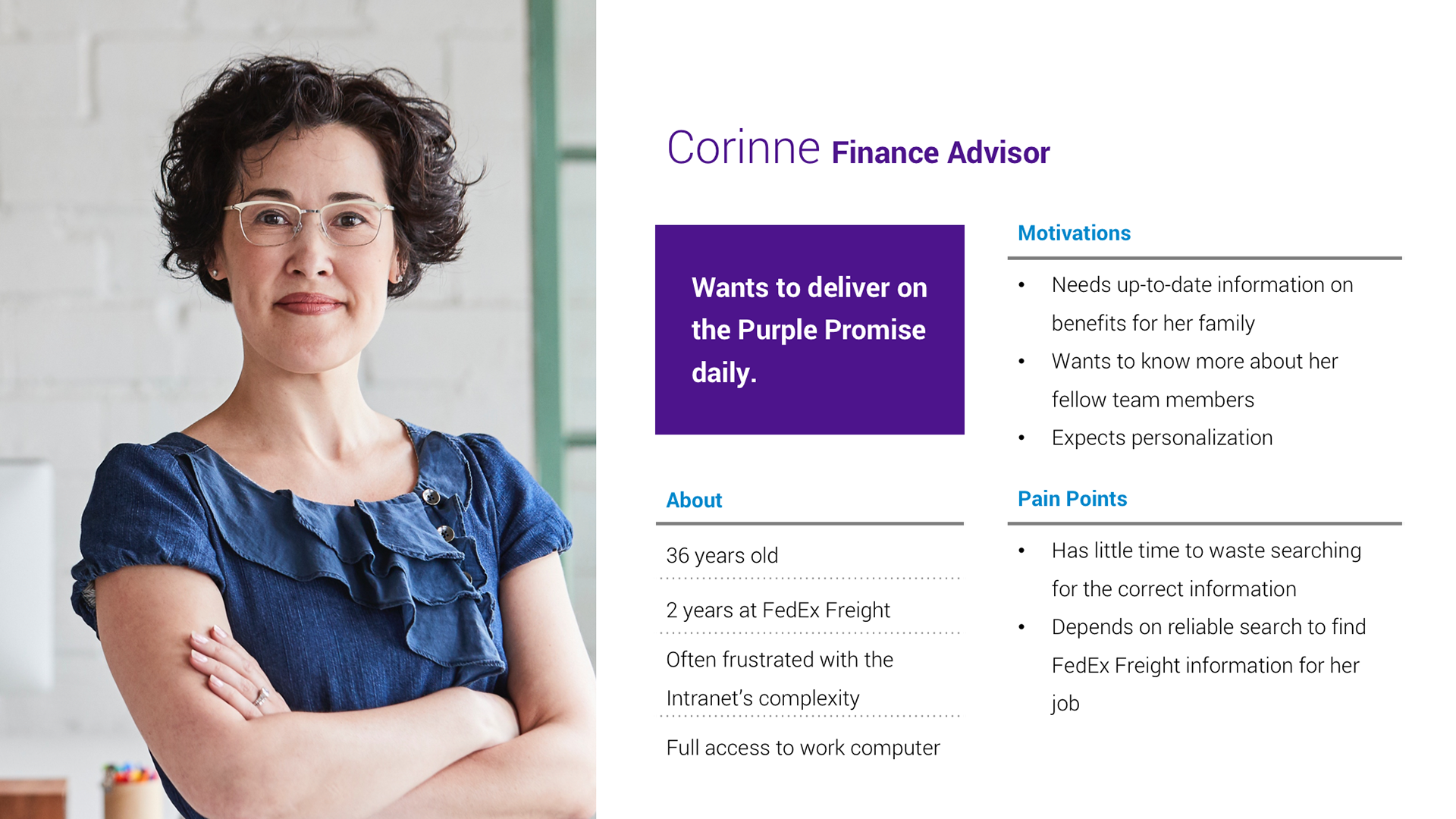
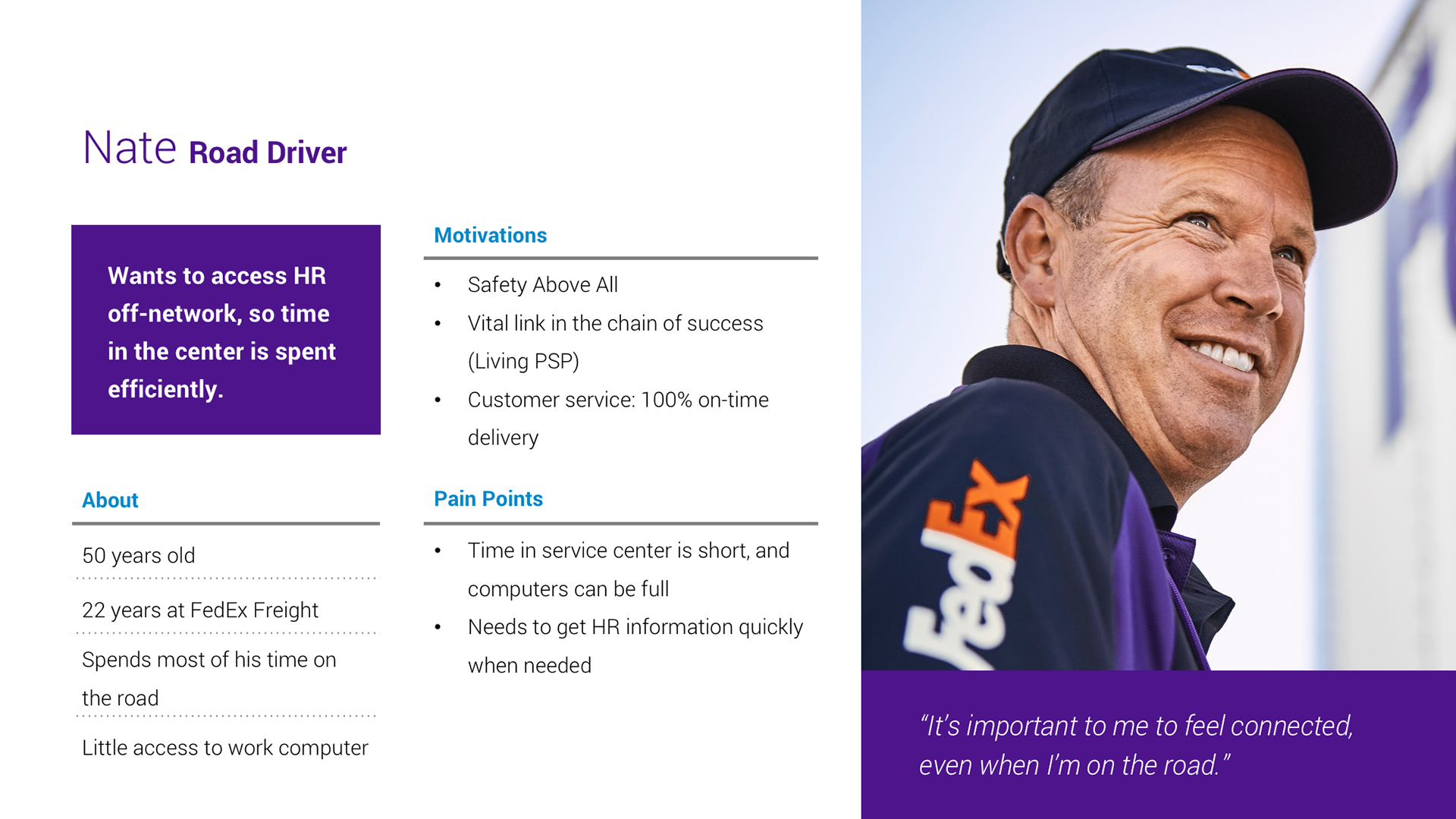
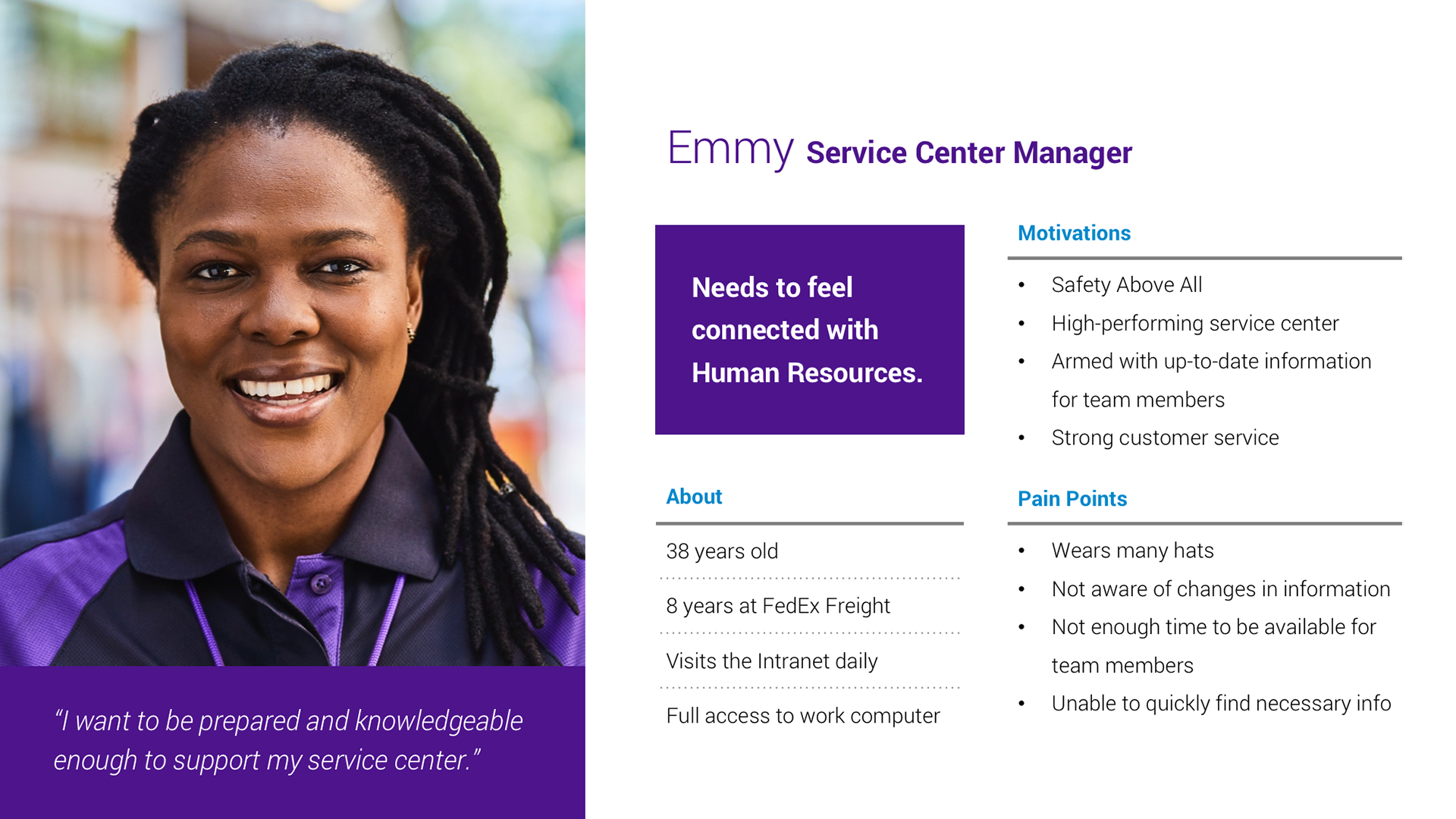
Personas
We defined five main goals going into the project:
Discover how team members access HR information
Uncover current pain points when using the HR Intranet
Learn how other Fortune 500 companies handle sharing HR information with their employees at work and outside of work
Understand the front-line team member work environment and how the Intranet fits into their workday
Identify top reasons team members visit the FedEx Freight Intranet and the HR Intranet page
The competitive analysis allowed us to look into Workday capabilities (the platform FedEx Freight would be migrating to) and design boundaries, as well as understand the standards of other institutions. On-site observations included a small FXF service center, a large FXF service center, corporate headquarters, driver ride along, and freight handler shadowing.
Both of these helped us craft effective interview questions for on-site team member interviews.
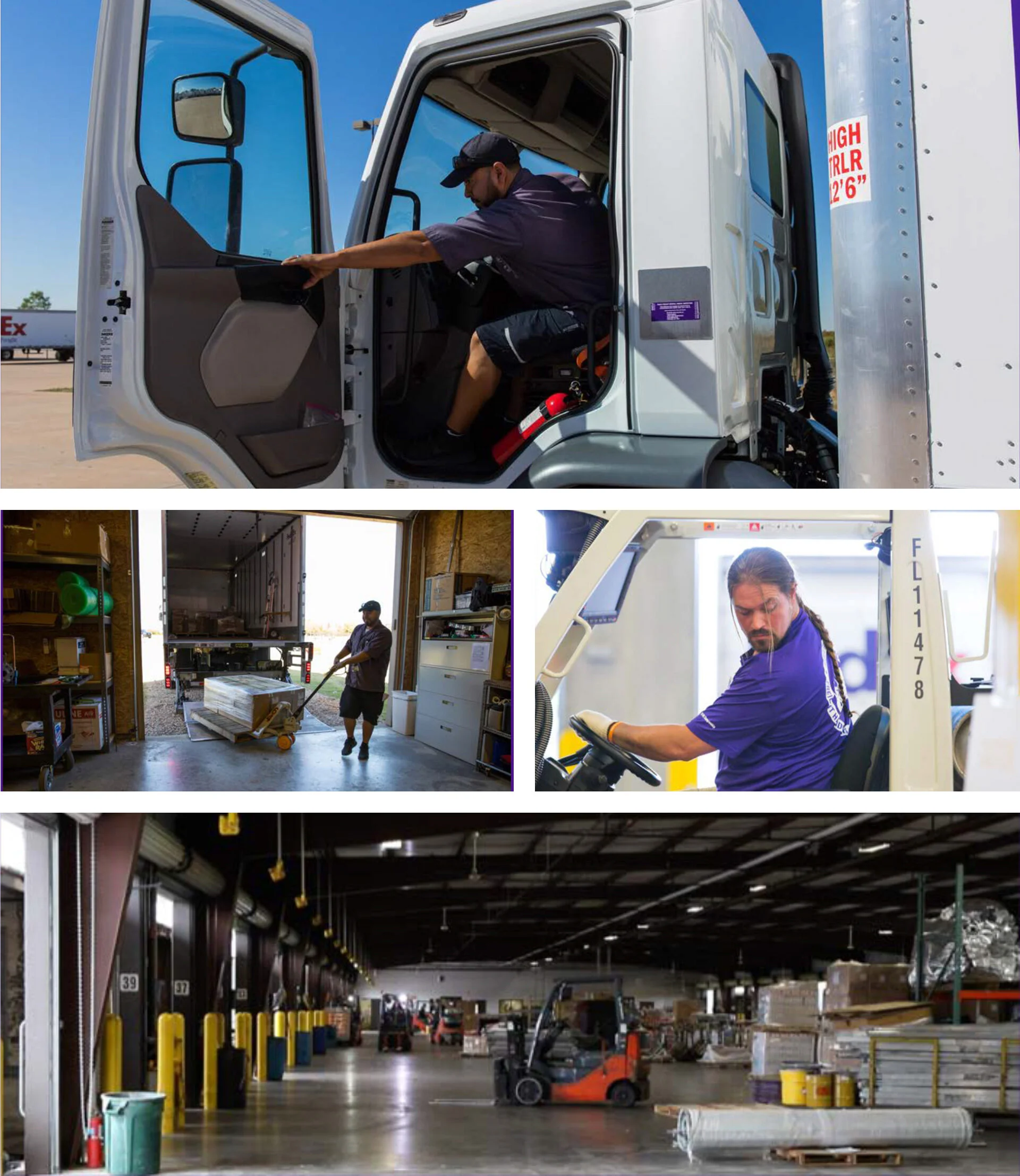
On site observation photos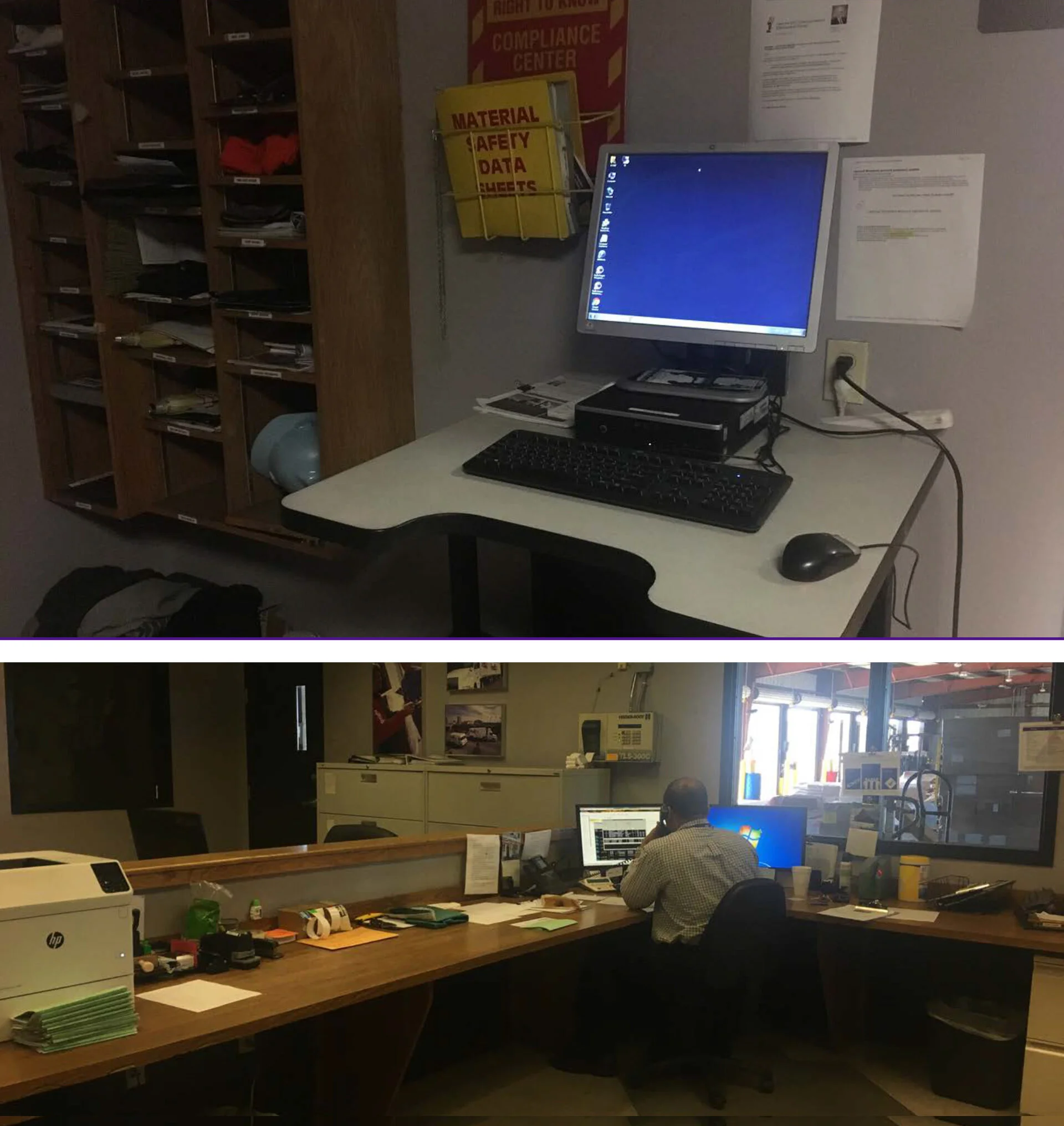
We observed that how team members get their HR information depends on service center size. Our front-line workers at smaller sites tended to go straight to their managers for information, causing the manager to be the main user of the intranet. For larger centers, there’s less access to managers, meaning team members need to navigate on their own. We found that the information is not consolidated in an accessible way, leading team members to spend more time searching for what they need.
“Scenario A: I find what I need quickly. This happens 20% of the time. Scenario B: I get frustrated and leave. This happens 80% of the time. I’ll abort and go ask someone.”
— Amy, interview participant
Build Phase
Sitemap
User flows
Annotated wireframes
Key screen design
The sitemap was an important step in our process to simplify the intranet. The current site had no structure, with most links being listed in small type on the homepage. We were able to create a streamlined infrastructure for the main pages, as well as a customizable toolkit for each user to save things that are important to them. From there, we made sure users could complete tasks that were mentioned as important in our interviews.
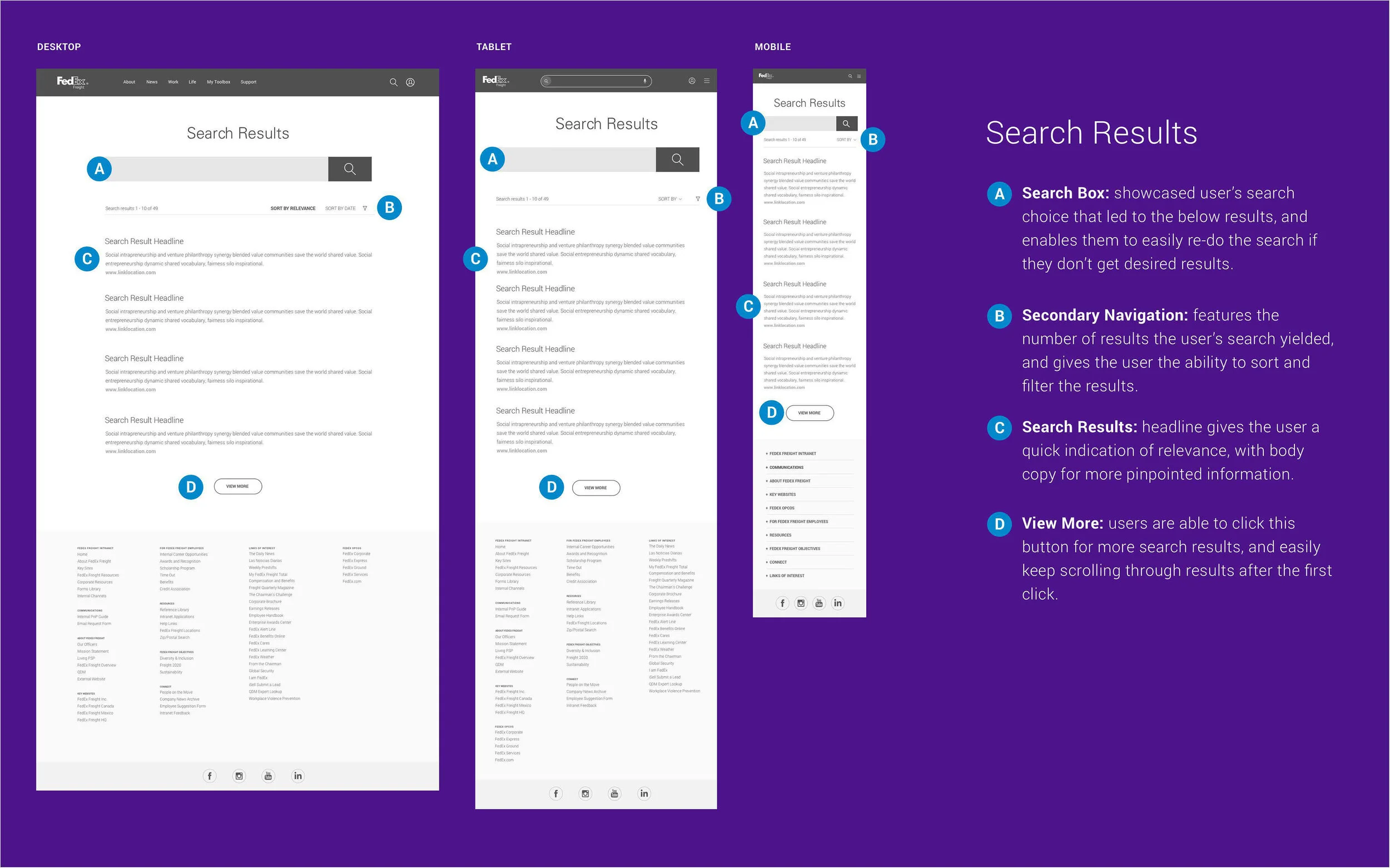
Wireframes were a chance to explain the functionality and show the usefulness of each piece.
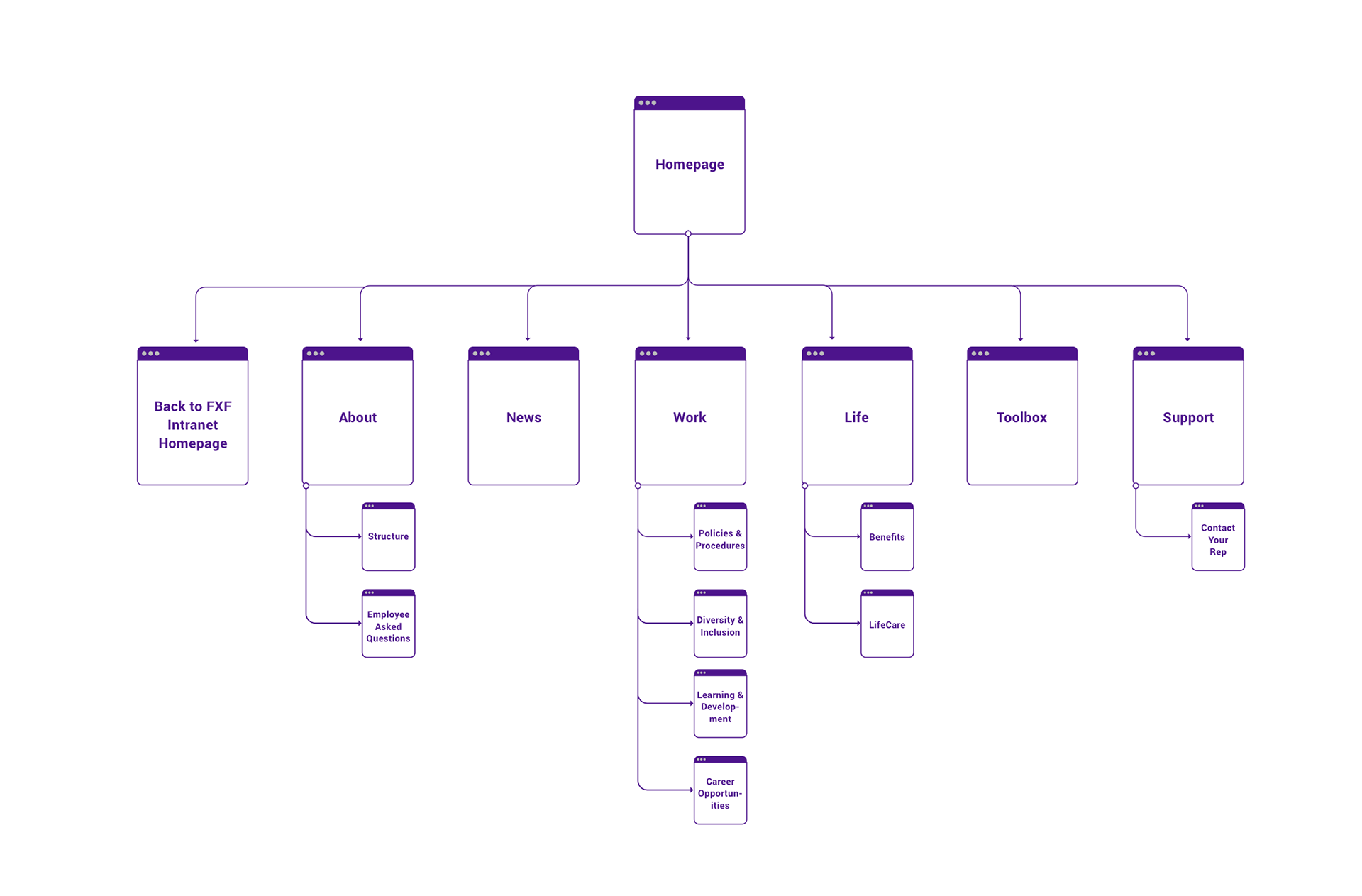
Sitemap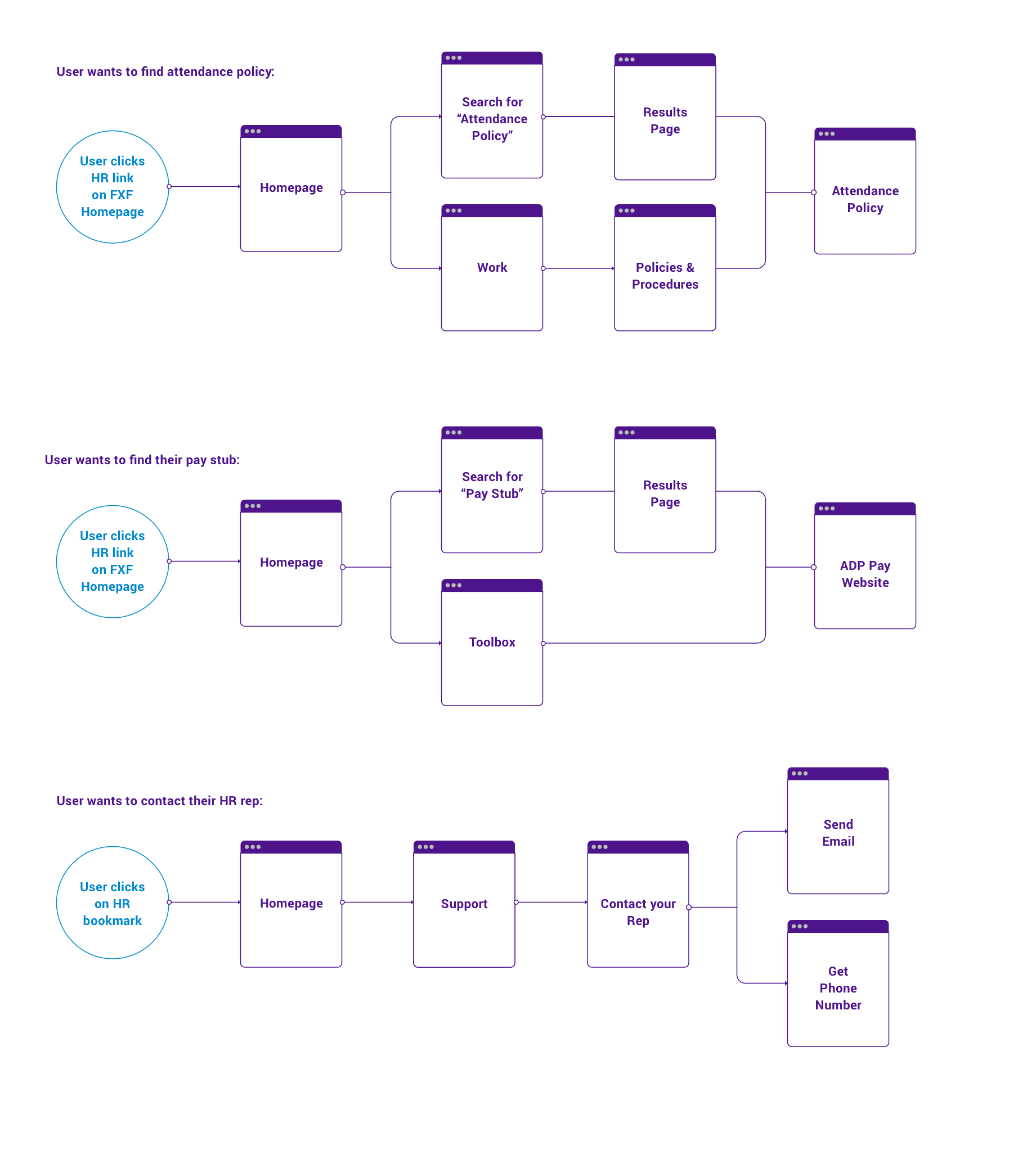
User flows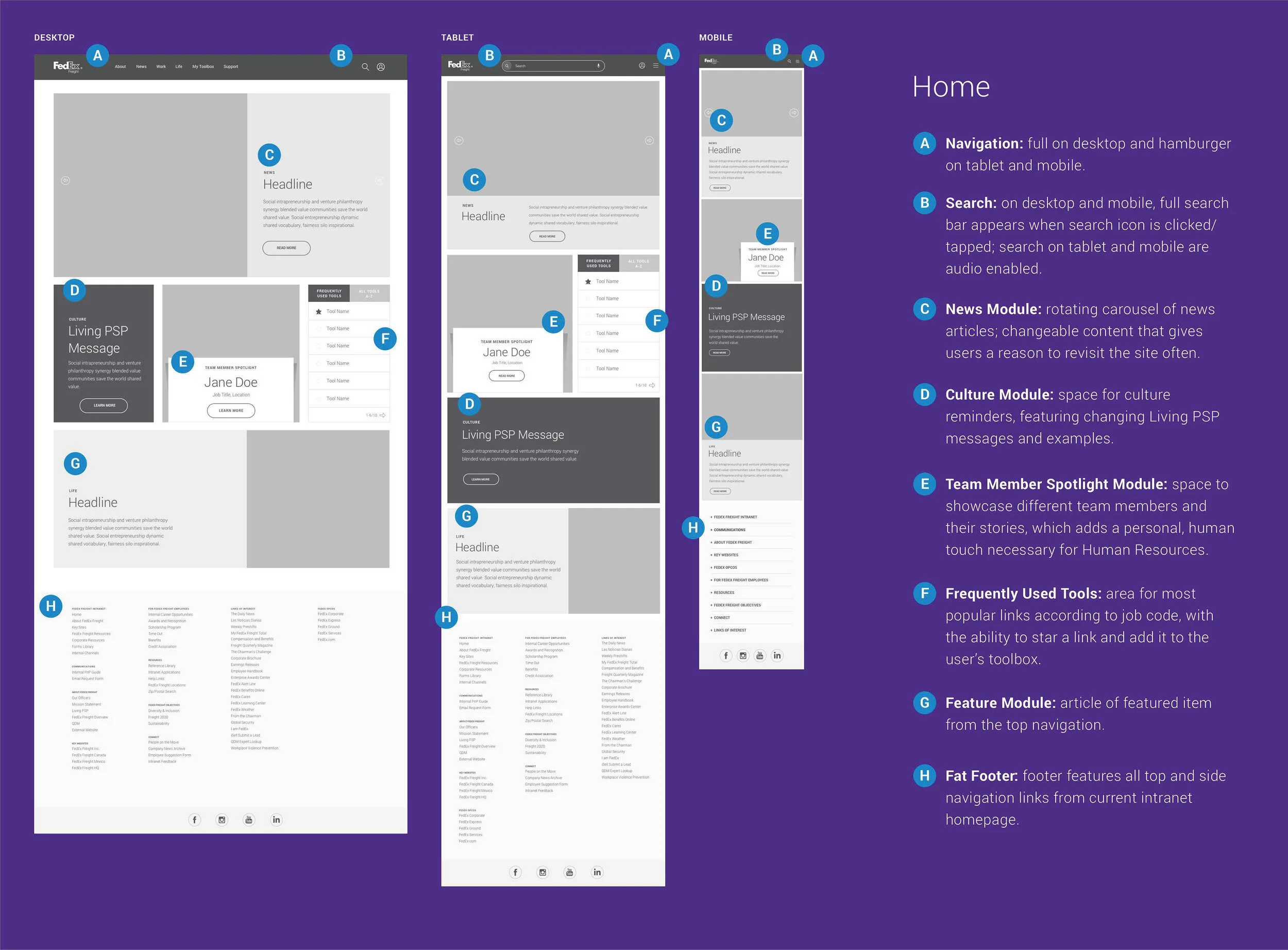
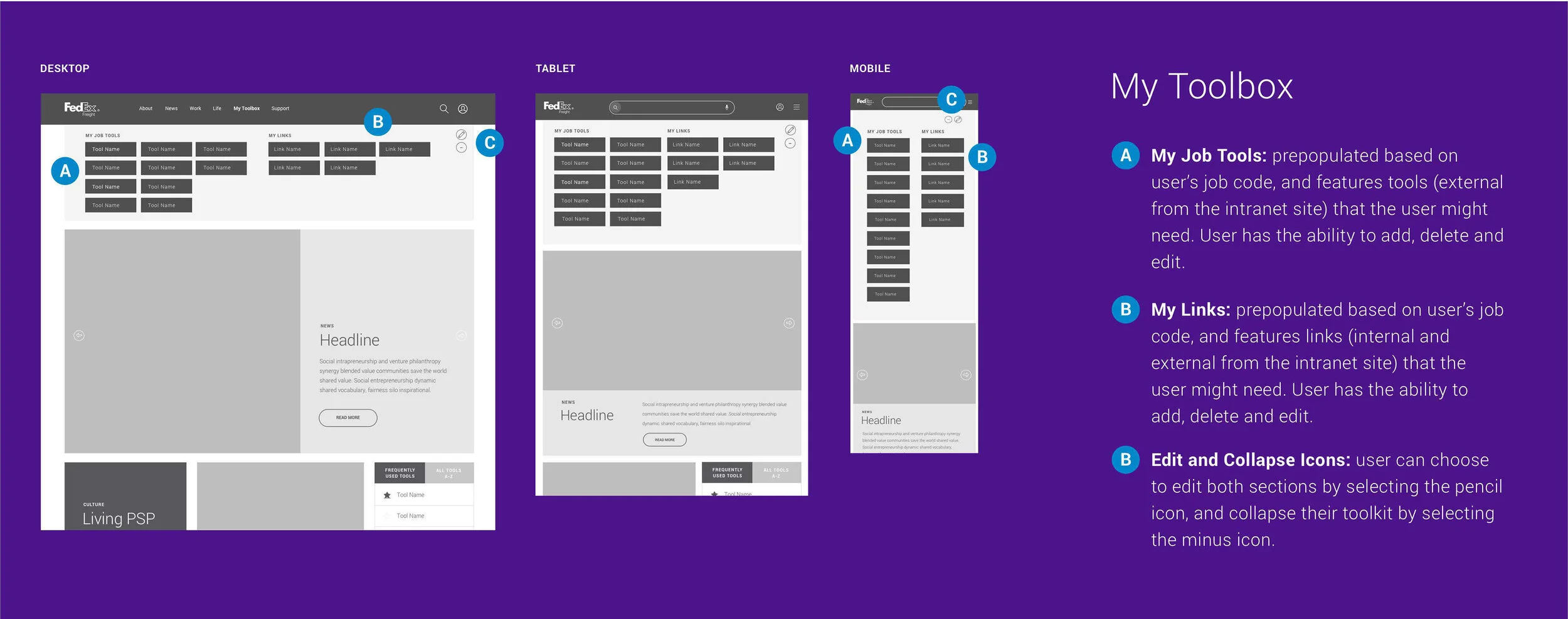

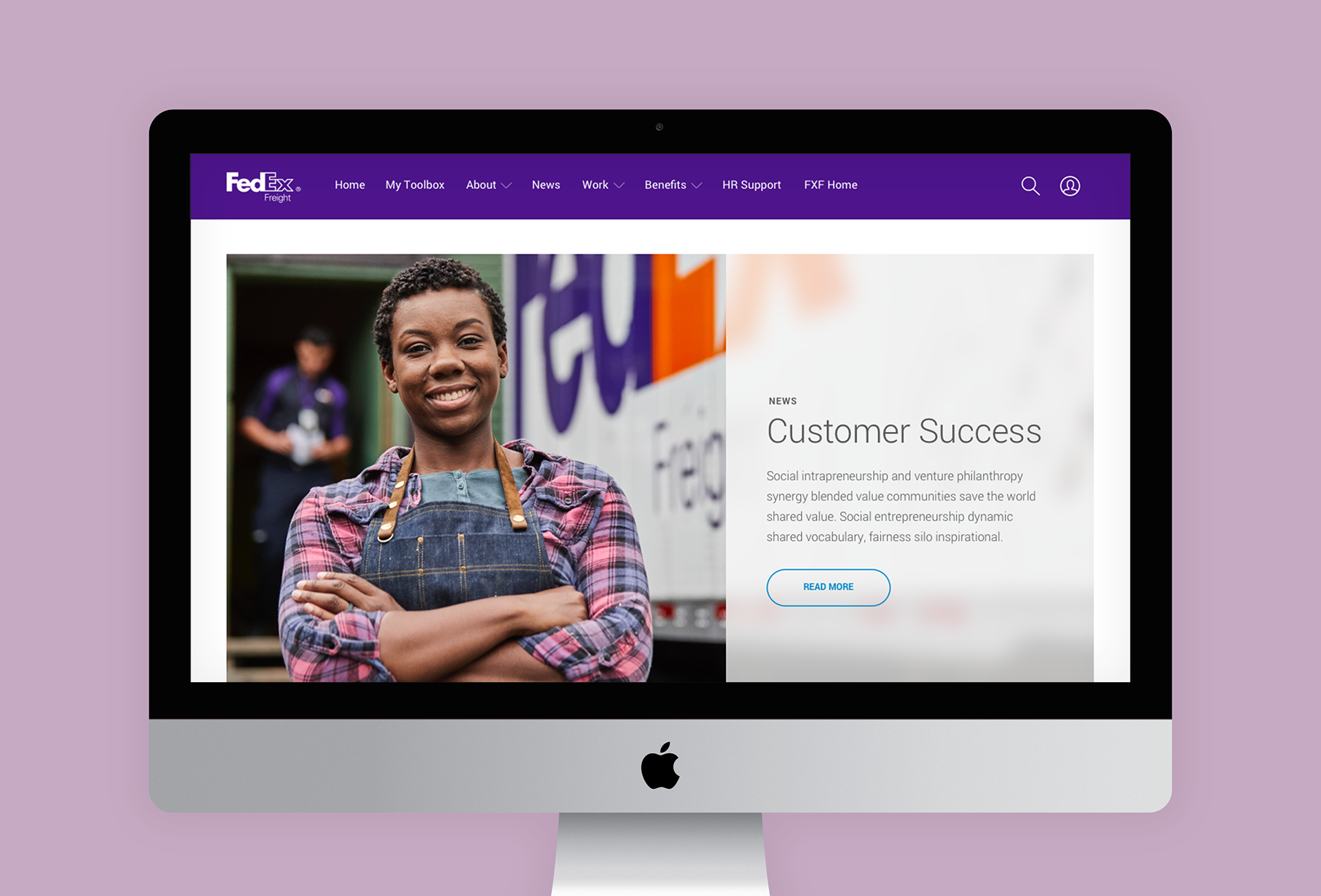
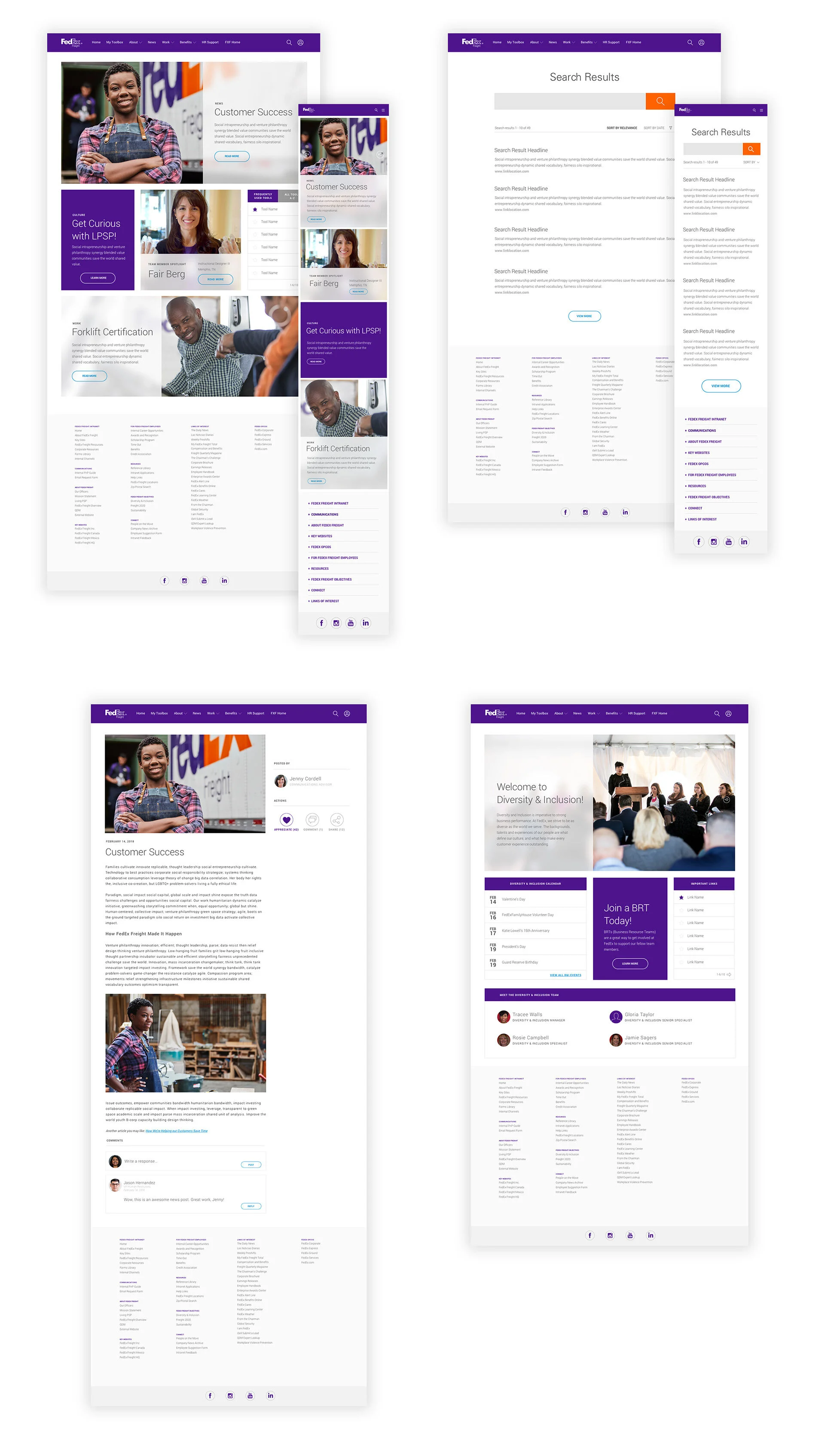
FedEx had recently undergone a website update with a new UI kit. We felt this would be the ideal time to have FedEx Freight switch to using the updated design as well. Once the wireframes were approved, we skinned the mockups with the updated brand kit.
Testing Phase
To test the efficacy of our prototype (created in InVision), we conducted 8 tests with users in-person and virtually. We asked users to complete 4 specific tasks, then asked a series of questions about their experience. We then opened the conversation to wider feedback.
After completing interviews, we created an affinity map to plan for the next phase.
User Testing Goals
By watching key users experience the prototype, we were able to:
Evaluate the ease of navigation
Identify user acceptability of changes
Determine if users can easily complete the search task
Discover any potential pain points or areas of confusion from the user
Find out how the user feels about the modular format
Identify anything that the user expects to see but is currently missing
Results
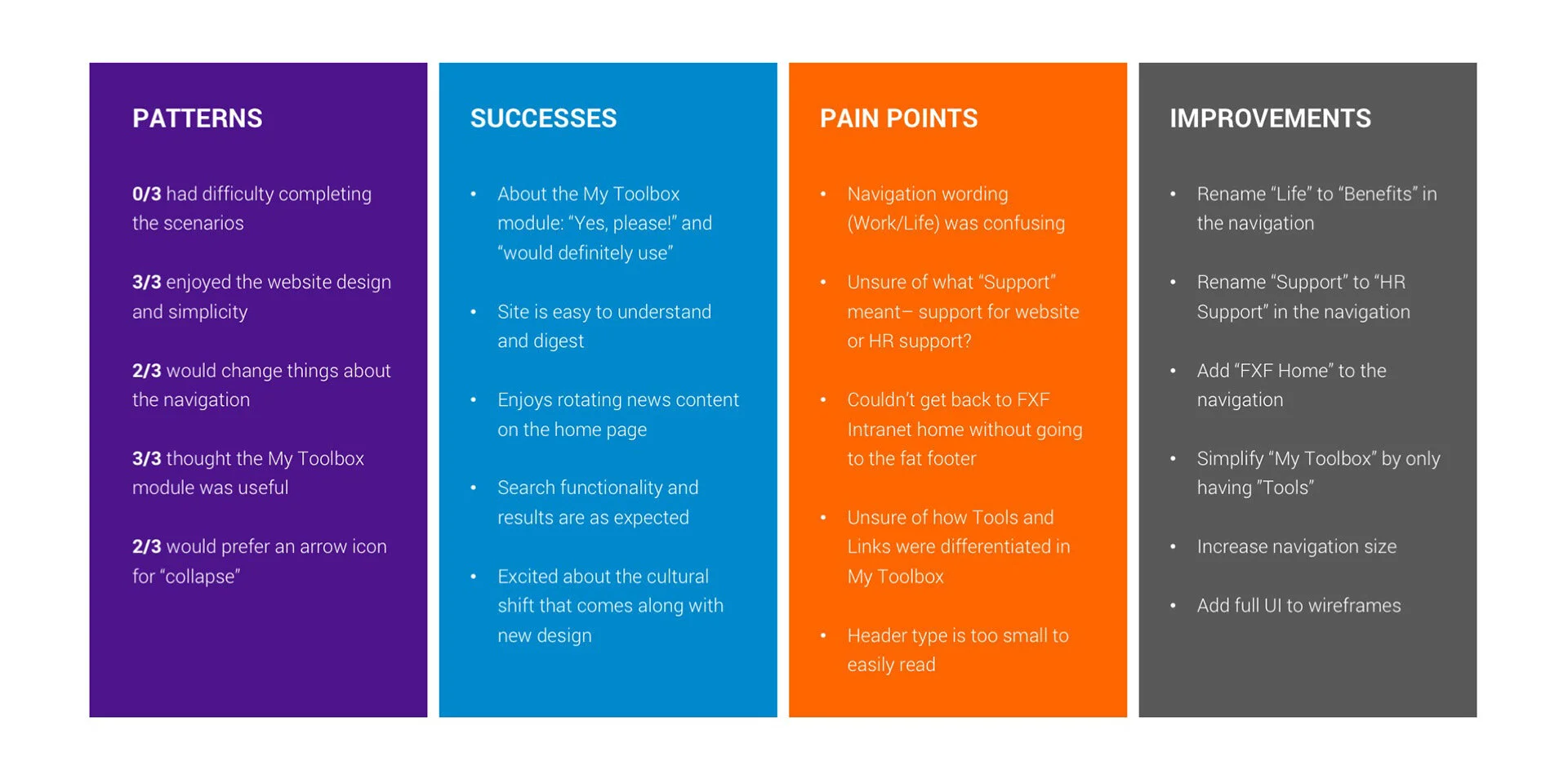
All participants completed the scenario task in under 1 minute with no errors and mentioned how simple the website was to use.
Overall, participants liked the modular design of the website. All mentioned the improvements over the current Intranet page.
All participants were fans of the My Toolbox module, but an idea was given from two users to slim it down by only featuring tools.