
WOWTECH App Design Challenge
My task was to complete the following challenge in less than 24 hours and talk through my process in a less-than-20-minute presentation.
A new media tech company in San Francisco holds multiple social conferences every year. They schedule teaching sessions, seminars, pre-conference talks, lectures and social events. Design a customizable personal event app where attendees set their agendas, sign-in/register, participate in surveys, quizzes, message other attendees, multiple methods of including social experiences into the app. Organizers can post in-app announcements and push notifications.
Constraint: Stick to existing mobile capabilities of iOS and Android.
Discovery Question
How might we design a robust, personalized conference app with a long shelf life?
Research Phase
Market Research
User Interviews (5)
Persona
Customer Journey Map
Assumptions & Constraints
Key Market Research Findings
91% of event organizers stated that adopting a conference app resulted in positive-event ROI.
“A mobile app is that beacon of light that people use while they are on-site [at a conference or event]. They were able to select sessions that they were interested in, find out the current flow, and things, and areas that were open during the program.” – Bizzabo
On average, attendees own 1.57 devices. They’ll expect to engage with the app across all their devices.
Key Interview Insights
FIVE INTERVIEWS CONDUCTED • INTERVIEWEES REPRESENTED CONFERENCE ATTENDEES
Insight #1
Attendees find conference and event apps crucial to their experience.
“Having an app greatly impacted my conference experience in a positive way – I never missed a thing!”
Insight #3
The longevity of the app depends on prolonged usefulness.
“If the app no longer has relevant information and isn’t being updated in any way, I’ll keep it maybe less than a week after. If the app is being updated with material or adding photos from the event, that might be different.”
Insight #2
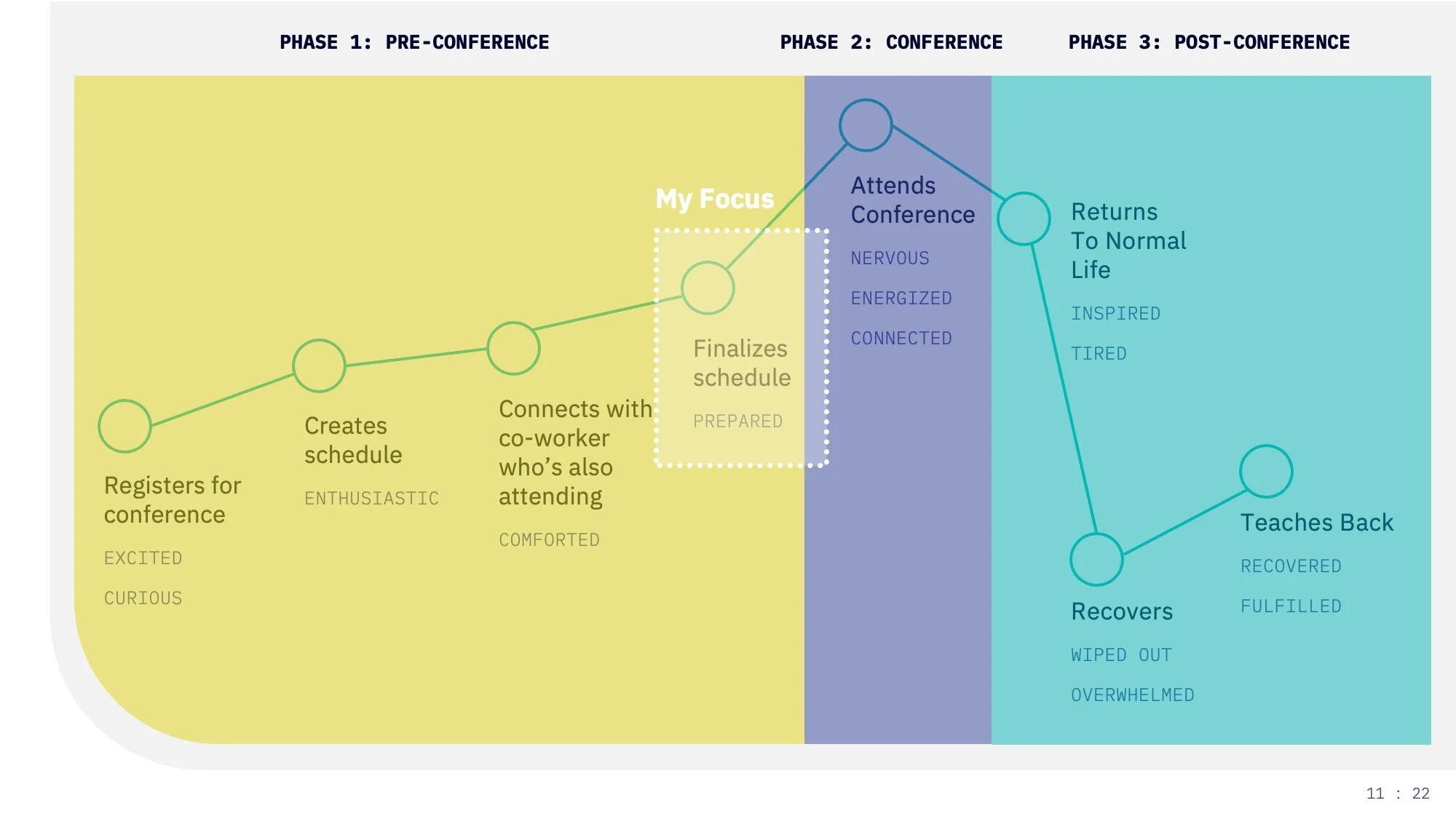
Attendees function differently depending on which phase of the conference cycle they’re in: before, during, or after.
“For me, after going to a conference, I have a recovery period where I don’t want to fill the well anymore.”
Insight #4
Attendees have a fear of missing out when it comes to attending events and conferences, and this can influence their actions.
“I’d see who’s going to which panels...their decisions may influence mine.”
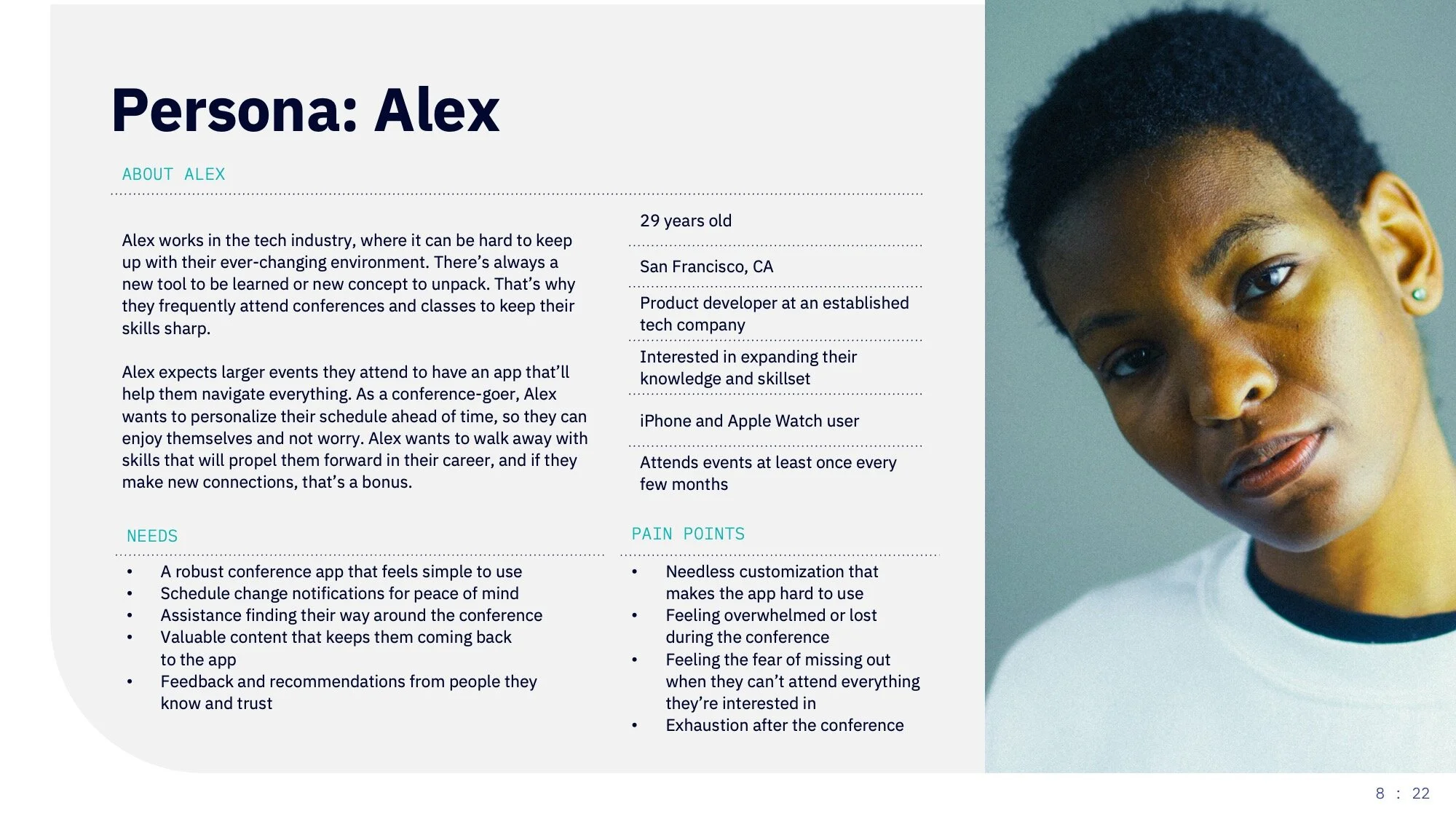
Persona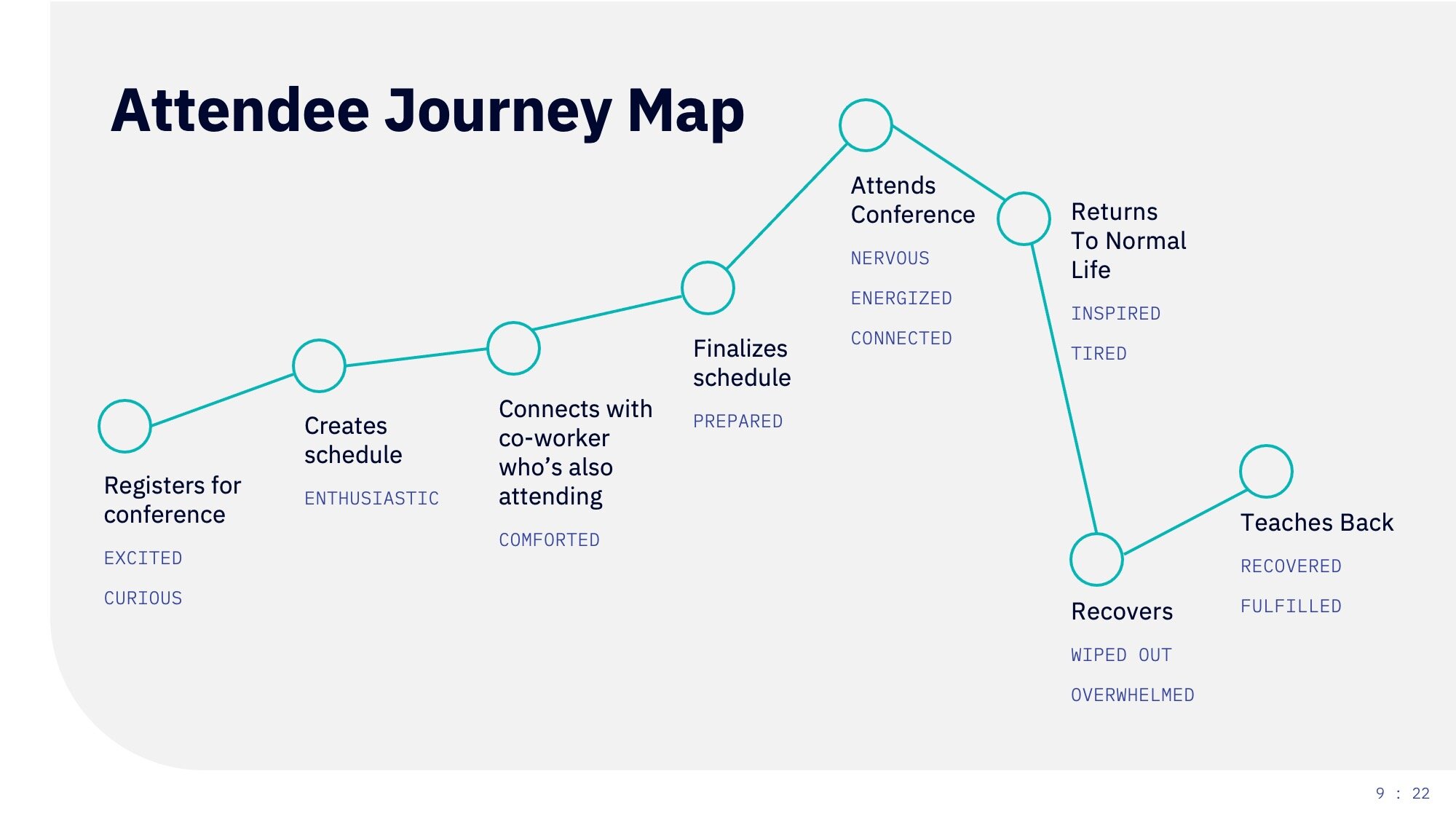
Since there was a compressed timeline for this challenge, I decided to focus my efforts on finalizing the user’s conference schedule within the app.
I also defined some assumptions and constraints to follow:
User is tech-savvy and familiar with using event apps
User has a smartphone, have downloaded the conference app, and logged in
App collects enough data to understand the current phase of the attendee
App is developed and launched after COVID-19 (we can dream, right?)
Use existing functionality of iOS and Android app platforms
Design Phase
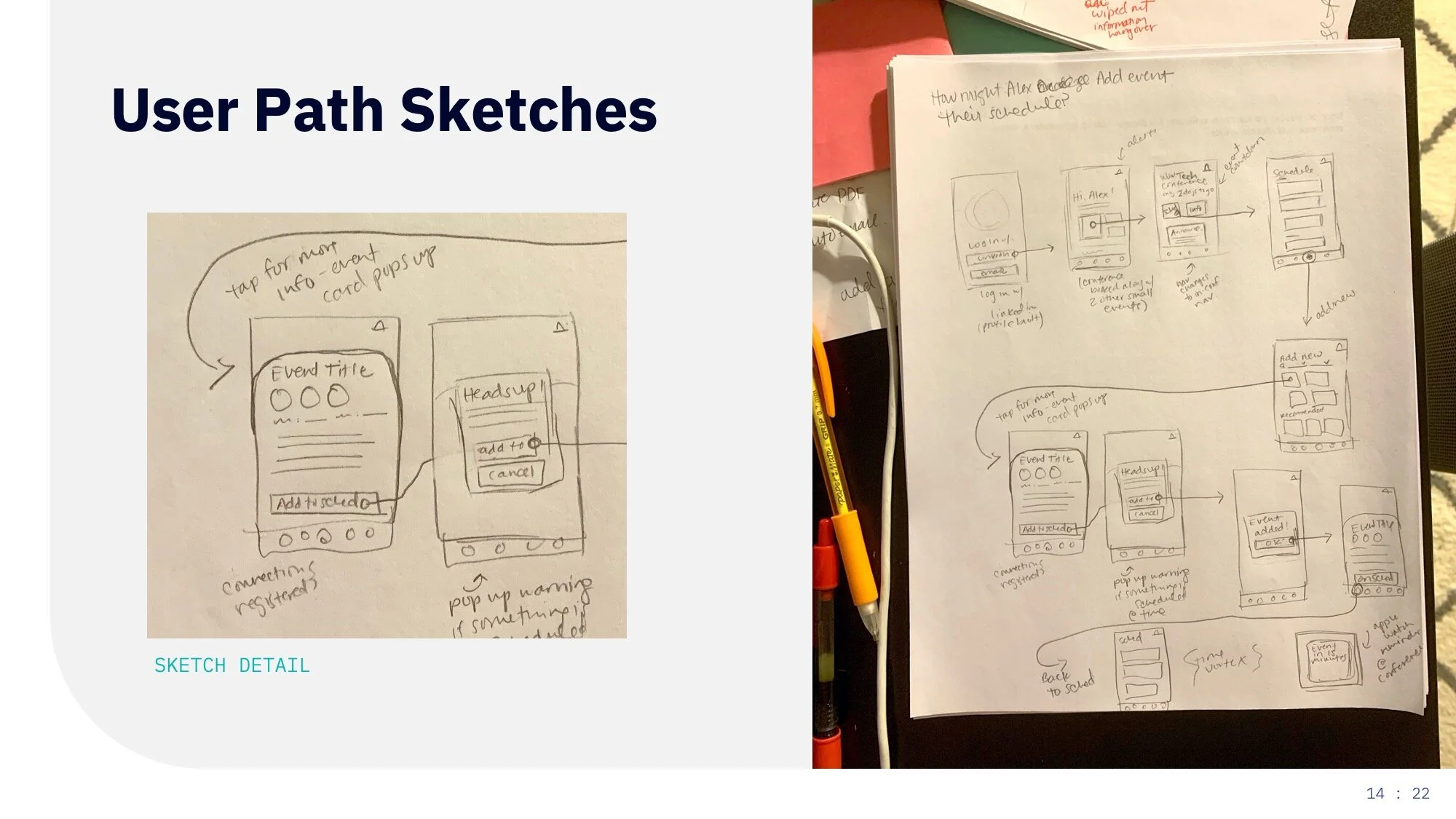
User path sketches
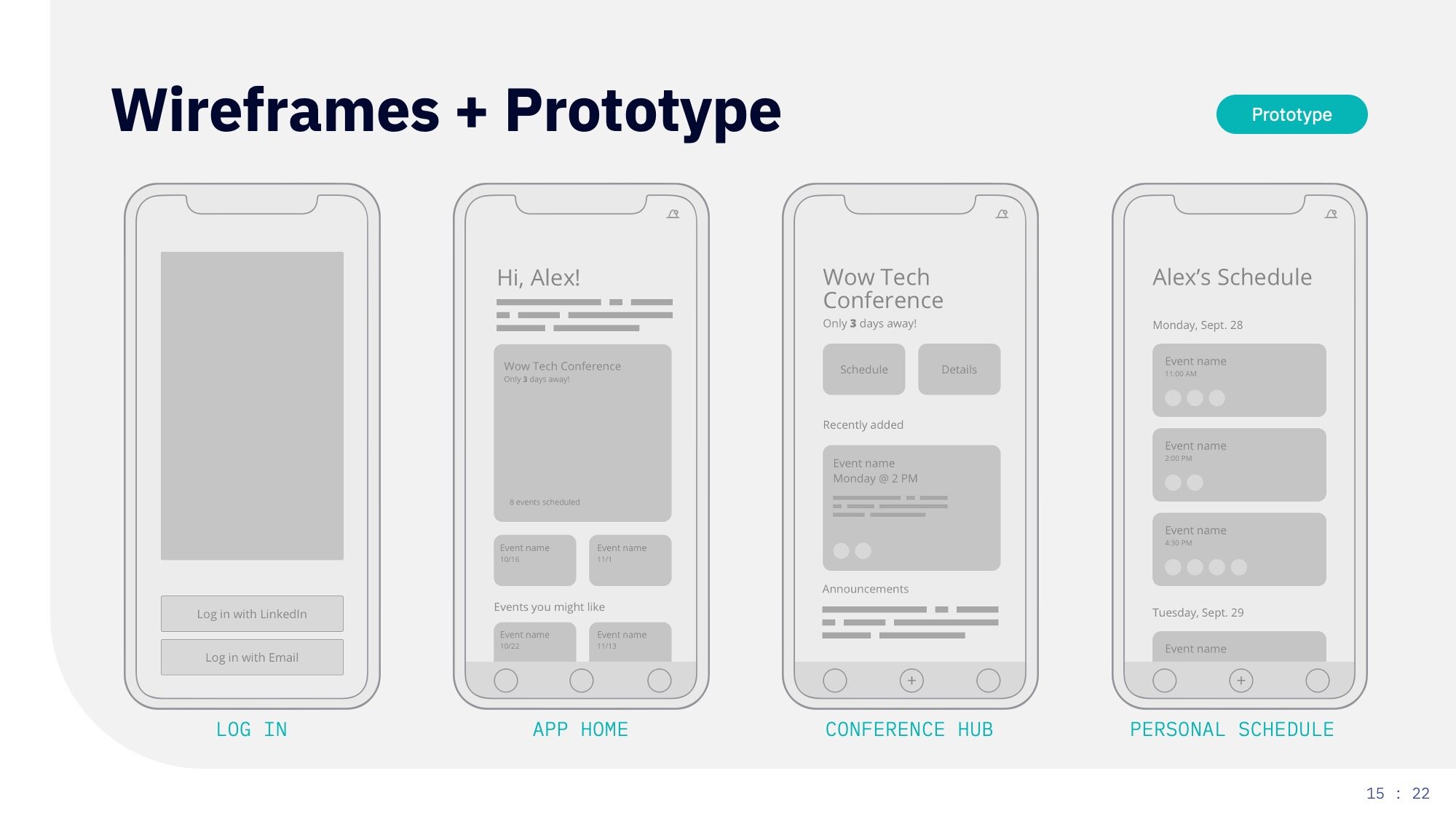
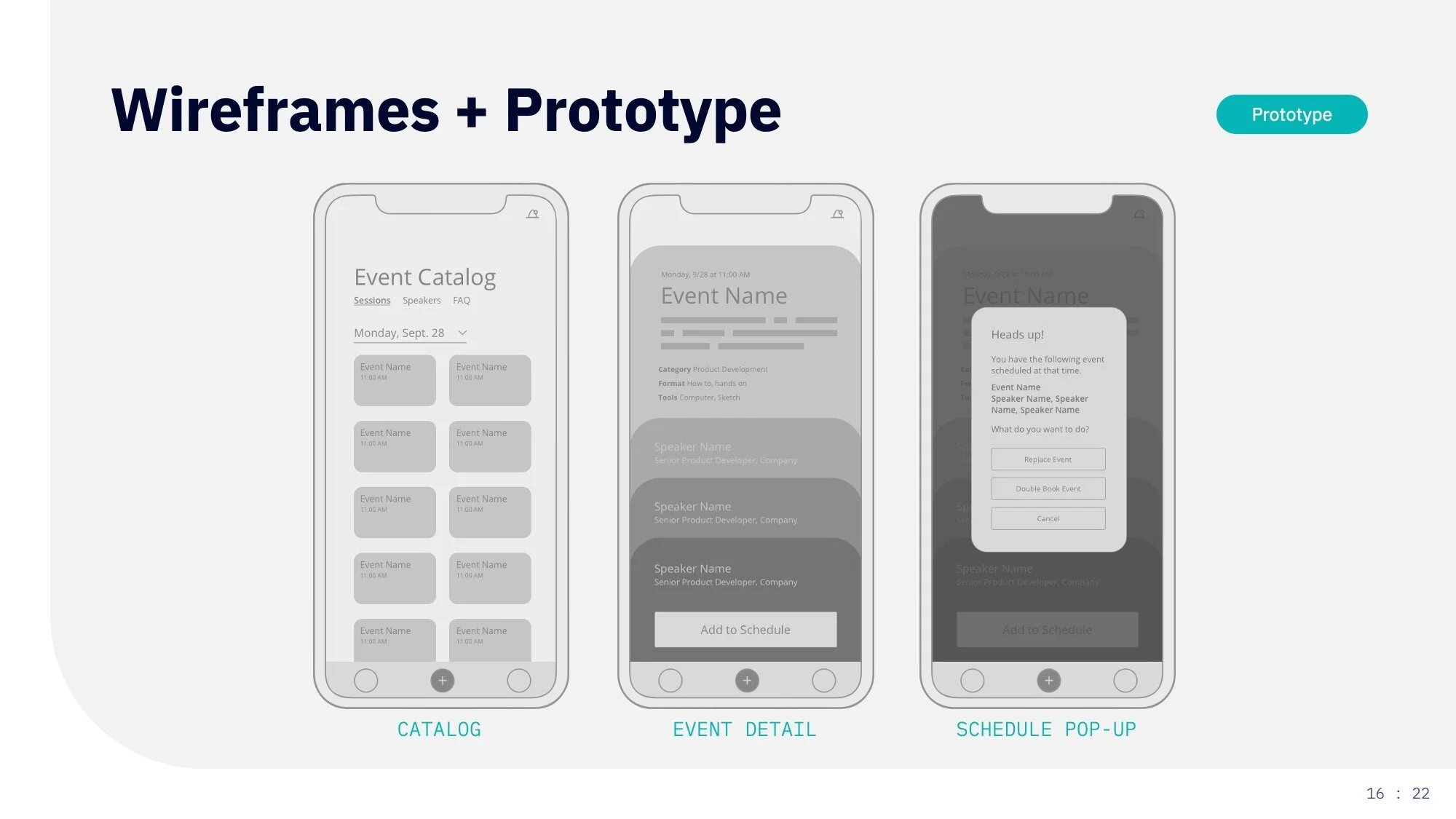
Wireframes
Low-fidelity prototype
By focusing in on one specific step in the user journey, I was able to narrow my sketching down to a specific user flow. From there, I developed low-fidelity wireframes and a mobile InVision prototype to use for testing.
Testing, Design, & Iteration
User Testing (3)
Affinity Map
Branding
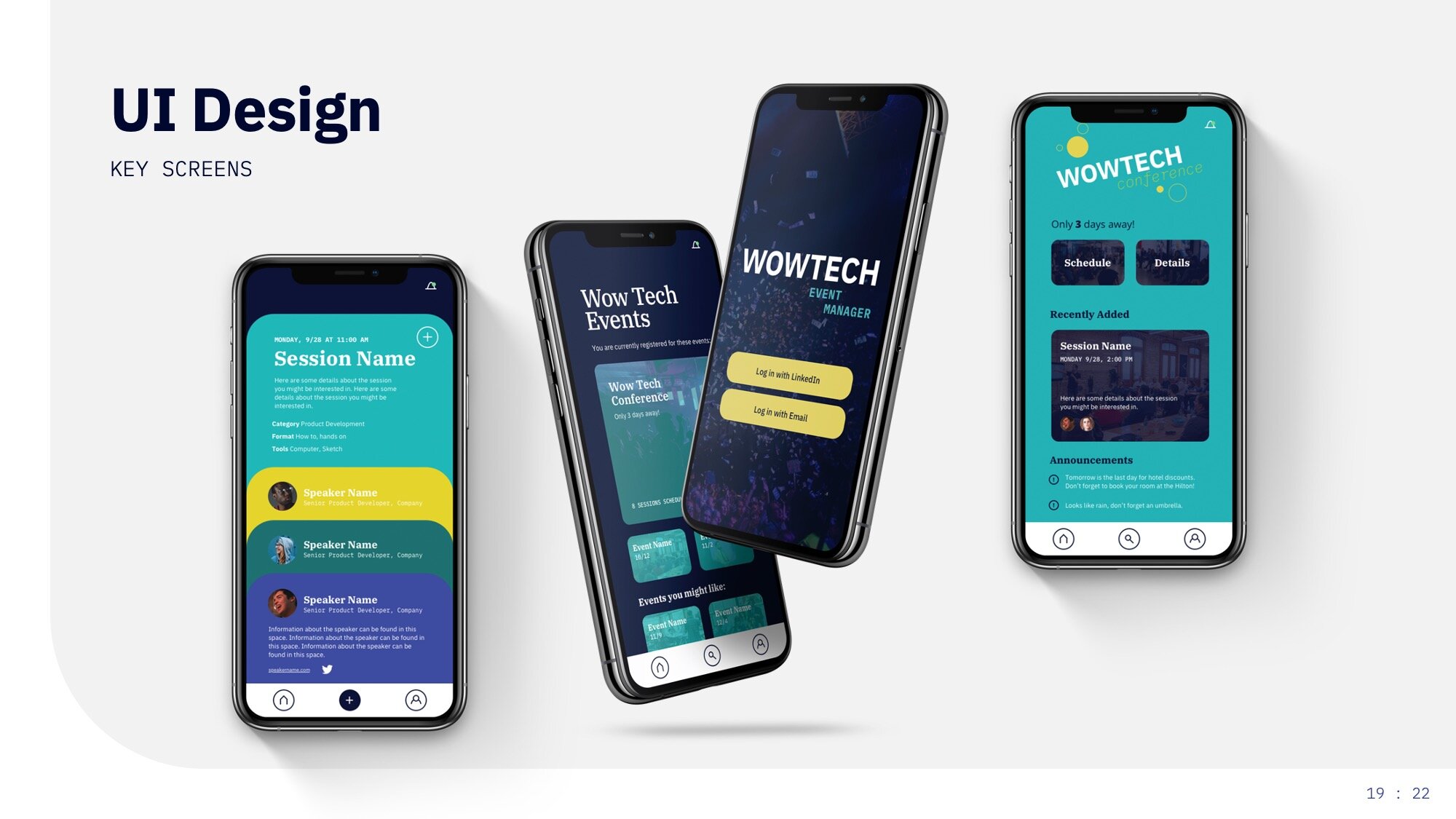
UI and Modifications
I used the wireframe prototype to test with three users. This gave me the ability to implement improvements in the design phase. Users were asked to finalize their schedule within the app.
Affinity Map Results
Patterns
1/3 had difficulty completing the task (completed with ease with more context)
1/3 was confused by wireframe format
3/3 liked the option of double-booking events
3/3 had issues with the nomenclature
3/3 enjoyed the event detail layout
Successes
Simple log-in
Card functionality to showcase speakers
Flow of conference page – layout feels easy to use and familiar
Double-booking option
Pain Points
Confused by two homes – overall app home and conference home
Not clear that all events aren’t related to the conference
Improvements
Rethink nomenclature structure
Search/explore functionality
More info added to event for clarity
Reconfigure “schedule” button on event card
In event catalog, would like to see the items already scheduled highlighted
Reflection
Here are a few things I would have done differently (given a do-over):
Asked more questions about the assignment – I spent more time than I would like deciding on my approach. Since the challenge was so vague, it was difficult to decide the appropriate way to scale it down and make it achievable.
Conducted stakeholder interviews – I think interviews could have helped me narrow in on a focus faster and would have potentially prevented a few of the issues that came up in testing.
More of everything – dig way, way deeper.
Measure, measure, measure – the tight timeline didn’t allow for any measurement of efficacy, which would help improve the final app design.
Collaboration – developing anything is always more fun with other people. Having multiple perspectives would bring a lot to this short process.